

Using an OBD2 scanner on a used car is one of the smartest moves you can make before handing over your money. It takes about 5 minutes, requires zero mechanical skill, and can save you from buying a lemon with serious hidden issues.
Here's the truth: a used car's dashboard can lie. Warning lights get unplugged, fault codes get cleared, and sellers hoping to make a quick buck will hide problems however they can. An OBD2 scanner reads what's actually going on inside the vehicle's computer, regardless of what the dashboard is telling you.
Related: Best OBD2 Scanner for BMW X5 2026: Top 6 Ranked
Related: How to Use an OBD2 Scanner Step by Step
Let's walk through exactly how to do this, whether you're kicking the tires at a dealer lot or inspecting a private sale.
In this article
- Where to Find the OBD2 Connector on Your Used Car
- How to Use an OBD2 Scanner on a Used Car: The Steps
- What Fault Codes Actually Mean for You
- Why Scanning a Used Car Before You Buy Matters
- Can You Use an OBD2 Scanner on Any Used Car?
- What Happens After You Get Your Scan Results?
- Why Invest in Your Own Scanner
Where to Find the OBD2 Connector on Your Used Car
Every car sold in the US since 1996 has the same OBD2 port. You don't need to hunt around or wonder if your car has one - it definitely does.
Sit in the driver's seat and look under the steering wheel, toward the dashboard. The OBD2 connector is a small rectangular socket, roughly the size of a phone charger port. It's usually mounted on the underside of the dashboard, somewhere between the steering wheel and the center console. On most cars, it's within arm's reach.
If you can't spot it immediately, shine your phone's flashlight under there and scan left to right. It's always accessible - no tools needed to reach it.
How to Use an OBD2 Scanner on a Used Car: The Steps
Once you've located the port, the actual scanning process is straightforward.
Step 1: Get your hands on a scanner. You'll need an OBD2 diagnostic tool. BLCKTEC makes affordable, beginner-friendly scanners that plug directly into that port and give you real data in seconds. No app subscriptions, no complicated menus.
Looking for an OBD2 Scanner?
Explore BLCKTEC →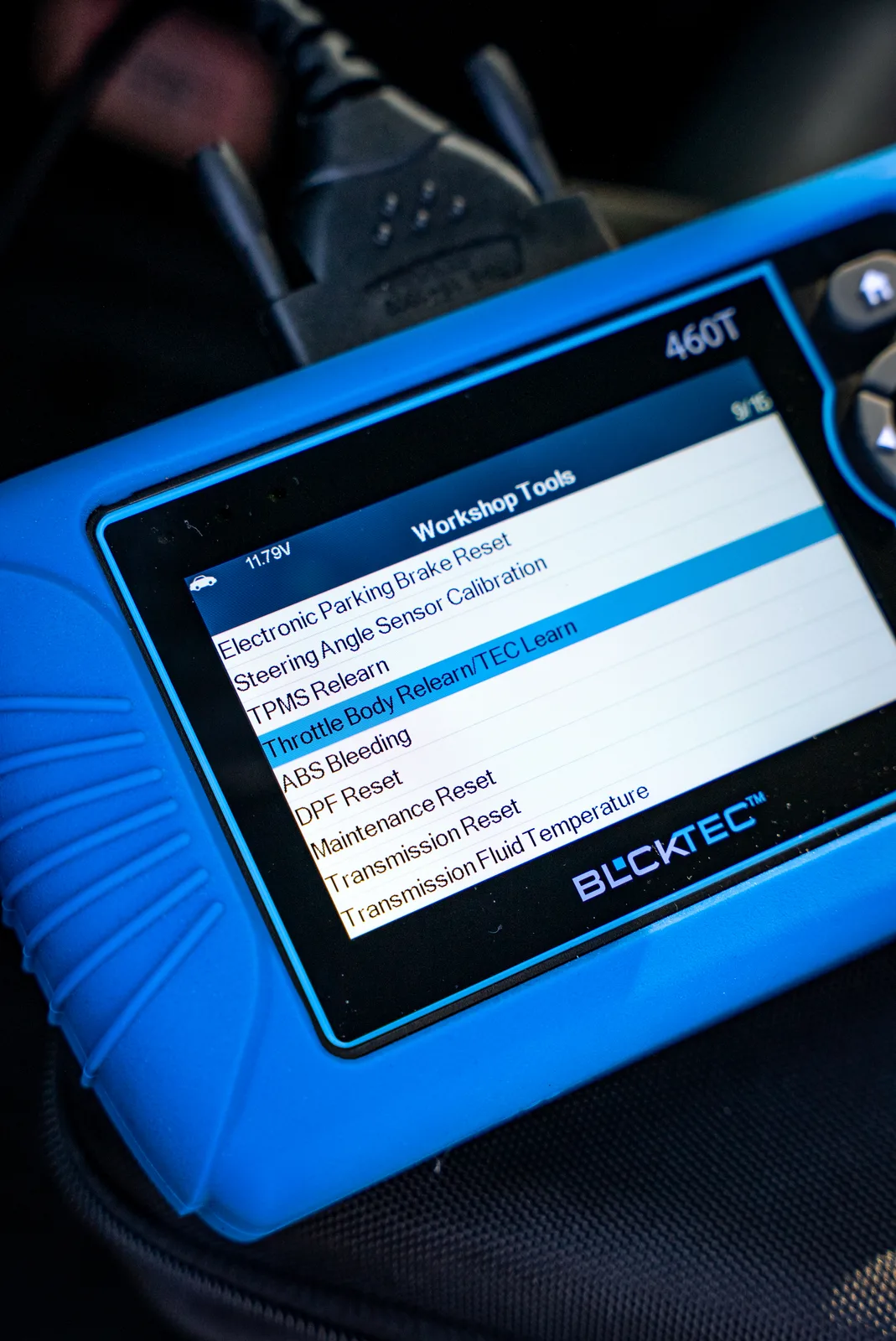
Step 2: Make sure the ignition is on (but don't start the engine). Turn the key to the "On" position or press the start button without pressing the brake. The dashboard lights will come on, but the engine stays off. This powers the vehicle's computer so the scanner can communicate with it.
Step 3: Plug the scanner into the OBD2 port. Push it in firmly until it clicks or seats completely. You'll feel it connect. The scanner will power on automatically once it detects the connection.
Step 4: Follow the on-screen prompts. The scanner will ask you to confirm your vehicle year, make, and model - or it might auto-detect this info. Then it will scan the vehicle's computer for fault codes.
Step 5: Read the results. The scanner will display any trouble codes that exist in the system. These are the red flags. A code like P0300 (random misfire) or P0171 (fuel system too lean) tells you there's a real problem the car's computer has logged.
The entire scan takes less than a minute. You now have data that the seller can't hide.
What Fault Codes Actually Mean for You
Not every code means the car is totaled. Some fault codes are minor. Others are serious.
A code for a loose gas cap (P0457) is annoying but cheap to fix. A code for a transmission problem (P0700) or catalytic converter issue (P0420) is expensive and should make you walk away or renegotiate hard.
The point is: you now have data. You can look up what the code means, get a quote from a trusted mechanic for the repair, and make an informed decision. Without the scanner, you're flying blind and hoping the seller is honest - which, let's be real, used car sellers often aren't.
Why Scanning a Used Car Before You Buy Matters
A seller might clear all the fault codes right before you arrive, hoping you won't notice. But if a problem exists, the code usually comes back within days or weeks of driving. The scanner catches what's been hidden.
Related: When to Use OBD2 Scanner Before Buying Used Car
Checking for these codes is especially important if the check engine light isn't currently on. A deliberately unplugged bulb or a recently cleared computer won't show anything on the dashboard, but the underlying problem is still there. The scanner doesn't care about the dashboard light - it reads the vehicle's actual diagnostic data.
Even if no codes show up, you've done your due diligence. At minimum, you know the car's computer isn't flagging anything critical. That's peace of mind worth the 5 minutes of effort.
Can You Use an OBD2 Scanner on Any Used Car?
Yes. If it's a 1996 model year or newer and was sold in the United States, it has an OBD2 port and your scanner will work. The connector is standardized, so any diagnostic tool will plug in and read the data. No guessing, no compatibility issues.
Older cars (pre-1996) used different diagnostic systems, so a standard OBD2 scanner won't work on them. But for any modern used car you're considering, you're covered.
What Happens After You Get Your Scan Results?
If you find fault codes, you have options.
You can walk away from the deal if the codes point to expensive repairs. You can negotiate the price down to account for the repair cost. You can ask the seller to fix the issue before you take the car. Or you can take it to your own trusted mechanic for a second opinion on what those codes mean and how much they'll cost to fix.
Without the scanner, you have zero leverage and zero information. With it, you're in control.
If no codes appear, that's great - but it's not a full inspection. You still want to check the oil, fluid levels, tire condition, and have a mechanic look it over if it's a bigger purchase. The scanner is one tool in your toolkit, not a replacement for a thorough inspection.
Why Invest in Your Own Scanner

You might think about just taking the car to a mechanic and paying them to scan it. But that costs money every time you look at a different used car. If you're shopping around or you plan to own cars for years, having your own scanner makes sense.
A quality OBD2 scanner from BLCKTEC gives you unlimited scans with no subscription fees. Scan as many cars as you want. Use it on your own vehicle to catch problems early. It pays for itself the first time you avoid buying a car with a serious hidden issue.
You'll feel more confident walking into any used car purchase, and you'll have real data backing up your decisions.
What if the scanner won't connect to the car?
First, make sure the ignition is in the "On" position and not turned to "Off." The vehicle's computer needs power to communicate. If it's on and still not connecting, try wiggling the scanner slightly in the port to ensure a solid connection. If nothing works, the OBD2 port itself might be damaged or the vehicle's computer might have an issue - which is actually useful information and a reason to avoid that car.
Can I use an OBD2 scanner while the engine is running?
Yes, you can. The scanner works with the engine on or off as long as the ignition is powered. Many people scan with the engine running to check real-time data. Just keep the car parked in a safe spot if you're doing this yourself.
Will using an OBD2 scanner damage the car's computer?
No. A scanner only reads data - it doesn't write to the computer or change anything. It's completely passive. Plugging in a diagnostic scanner is as safe as plugging in a phone charger.
Do I need any special knowledge to read the fault codes?
Not really. Most codes come with a simple description on the scanner itself or in the manual. Code P0128 might say "coolant thermostat" - that tells you something about cooling system. You can also look up codes online to understand what they mean. You don't need to be a mechanic; you just need to know that a code means something needs attention.
Looking for an OBD2 Scanner?
Explore BLCKTEC →