

Using an OBD2 scanner step by step is the fastest way to figure out what's wrong with your car without paying a mechanic $100+ just for a diagnostic read. Here's the honest truth: your vehicle's computer knows what's happening. An OBD2 scanner is just the translator between you and that computer. And once you know how to use one, you'll never feel blindsided by a check engine light again.
Let's break down the exact process so you can do this yourself, right now.
Related: Best OBD2 Scanner for BMW E90 2026: Top 5 Ranked
Related: Best Lexus OBD2 Scanner 2026: Top 5 Ranked
Related: Best OBD2 Scanner for BMW E46 2026: Top 5 Ranked
In this article
- Step 1: Find Your OBD2 Diagnostic Port
- Step 2: Turn Off Your Ignition
- Step 3: Plug Your Scanner Into the Port
- Step 4: Turn On Your Ignition (Don't Start the Engine)
- Step 5: Let the Scanner Initialize and Connect
- Reading Your Trouble Codes
- Clearing Codes (If Needed)
- Using Live Data (The Bonus Round)
- Pro Tips for Success
- Common Mistakes to Avoid
- When to Get Professional Help
- Why Every Car Owner Should Have One
Step 1: Find Your OBD2 Diagnostic Port
First things first. You need to locate the OBD2 port on your vehicle.
On most cars, it's tucked under the steering wheel on the driver's side, usually behind a small plastic cover. Look down below the dashboard—around the left knee area. If it's not there, check the right side or under the center console. Some older vehicles or trucks might have it in an unusual spot, so don't panic if you have to hunt a bit.
The port itself looks like a rectangular connector, about the size of your pinky finger. It has 16 pins inside. You can't miss it once you know what you're looking for.
Step 2: Turn Off Your Ignition
Before you touch anything, turn off your engine completely.
This is important. You want the car powered down so you can safely connect your scanner without any risk. Let the engine cool for a minute if you've been driving, especially if you're trying to diagnose a hot-start issue.
Step 3: Plug Your Scanner Into the Port
Take your OBD2 scanner and line up the connector with the OBD2 port. Push it in firmly until you hear or feel a click. It should feel snug and secure, not loose or wobbly.
If you're using a 420X - Standard Diagnostics scanner or similar handheld model, you'll connect directly into the port. If you're working with a tablet or wireless option, follow the manufacturer's pairing instructions before this step.
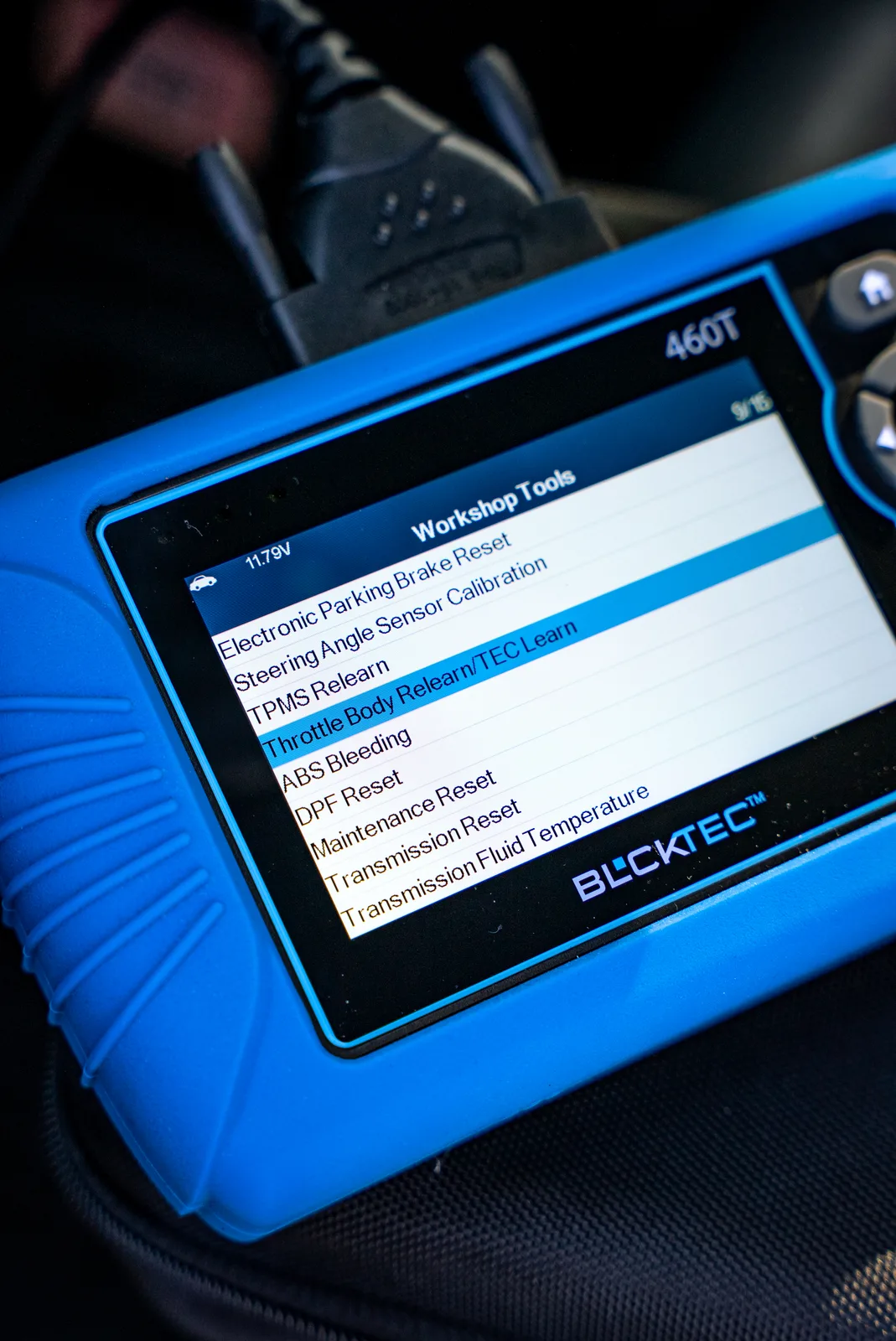
Step 4: Turn On Your Ignition (Don't Start the Engine)
Here's where people get confused. You want to turn the key to the "on" position, but do NOT start the engine.
If you have a push-button start, press it once without stepping on the brake. The dashboard lights should come on, the radio might power up, but the engine stays off. This is called "accessory mode" or "on mode," and it powers up your vehicle's computer without cranking the engine.
Your scanner will also power on at this stage. You'll see it light up or display an initial screen.
Step 5: Let the Scanner Initialize and Connect

Give your scanner a few seconds to establish communication with your vehicle's computer. Most scanners will display a loading screen or show "Connecting..." at this point.
Once connected, your scanner will display a menu with options like "Read Codes," "Clear Codes," "Live Data," or similar. You've successfully connected. That's it—no special codes, no hidden steps.
Reading Your Trouble Codes
Once your scanner is connected, select "Read Codes" or "Scan" from the menu. The scanner will pull all diagnostic trouble codes (DTCs) from your vehicle's computer.
You'll see codes like "P0420" or "P0300." Each code has a specific meaning. Your scanner should show you a description—like "Catalyst System Efficiency Below Threshold" or "Random/Multiple Cylinder Misfire Detected."
Write these down or take a photo. This is your roadmap to what's actually wrong.
Need a reliable scanner that gives you clear, accurate code definitions? BLCKTEC scanners break down every code in plain language so you know exactly what you're dealing with.
Looking for an OBD2 Scanner?
Explore BLCKTEC →Clearing Codes (If Needed)
After you've read the codes and understand the issue, you can clear them using your scanner. Most scanners have a "Clear Codes" or "Erase Codes" option in the menu.
One thing to know: clearing codes doesn't fix the problem. It just resets the check engine light. If the underlying issue isn't resolved, the light will come back on in a few days or weeks. Use this feature strategically—after a repair, or to confirm that a temporary issue has resolved itself.
Using Live Data (The Bonus Round)
Most OBD2 scanners let you view real-time vehicle data while the engine is running. This shows you things like engine RPM, fuel pressure, oxygen sensor readings, and more.
This is advanced stuff, but it's incredibly useful for diagnosing intermittent problems. If your check engine light comes and goes, you can monitor live data and watch for the exact moment the sensor goes haywire. That information is gold when you talk to a mechanic or troubleshoot the problem yourself.
Pro Tips for Success

- Verify OBD2 compatibility first: OBD2 became standard in 1996, so if your car is newer than that, you're good. Older vehicles may need a different diagnostic approach.
- Keep your scanner charged: If your scanner is wireless or rechargeable, make sure it's powered up before you start. There's nothing worse than getting halfway through a diagnosis and running out of battery.
- Take notes on code history: If a code keeps coming back, log when it happens and under what conditions (cold starts, highway driving, etc.). This helps you spot patterns.
- Don't ignore active codes: If a code is showing as "active" rather than "pending," that means the problem is happening right now. Address it sooner rather than later.
If you're serious about DIY diagnostics, investing in a quality scanner from BLCKTEC means unlimited scans and premium US-based customer support whenever you have questions. It's a one-time purchase that pays for itself the first time you avoid a $150 diagnostic fee.
Common Mistakes to Avoid
Don't connect your scanner while the engine is running. It can cause communication errors or drain your battery faster. Always connect in "on" mode with the engine off.
Don't panic if you see multiple codes. Vehicle computers store related codes when one system fails. For example, if your oxygen sensor fails, you might see misfire codes too. They're usually all connected to one root problem.
Don't clear codes without understanding what they mean. Take 30 seconds to read the description. If it doesn't make sense, look it up online or ask a mechanic. This is your car—you should know what's happening.
When to Get Professional Help
An OBD2 scanner tells you *what* is wrong, not always *how* to fix it. Some repairs require special tools, a lift, or genuine technical skills. Knowing when to DIY versus when to call in a pro is the real wisdom.
If your code involves the transmission, engine timing, or electrical systems, and you're not experienced with those systems, it's smarter to get a professional diagnosis. But you'll go in already knowing the issue code, which means you can verify the mechanic isn't guessing—they're confirming what your scanner already told you.
That's the power of having your own diagnostic tool. You're not powerless anymore.
Why Every Car Owner Should Have One
An OBD2 scanner is one of the cheapest insurance policies you can buy for your car. It takes the mystery out of check engine lights and gives you real data instead of guesses. Whether you're a DIY shade-tree mechanic or just someone who wants to understand their vehicle better, a scanner empowers you to make informed decisions about repairs.
The investment is small. The peace of mind is massive.
Can I use an OBD2 scanner on any car?
OBD2 became standard on all light-duty vehicles in 1996 and onwards. If your car is from 1996 or newer, you can use an OBD2 scanner. Older vehicles may require different diagnostic equipment. Always verify your vehicle's compatibility before purchasing a scanner.
Will clearing codes damage my engine?
No. Clearing codes simply resets your vehicle's computer and turns off the check engine light. It doesn't affect engine operation or cause any harm. However, if the underlying problem isn't fixed, the light will return once the computer detects the issue again.
Can I use an OBD2 scanner while driving?
It depends on your scanner type. Handheld models should stay connected to the OBD2 port, so you can't safely drive while using them. Wireless or smartphone-based scanners are safer to monitor while driving, but your primary focus should always be on the road. Use live data monitoring as a diagnostic tool, not a constant dashboard display.
How often should I scan my vehicle?
Scan your vehicle whenever the check engine light comes on, or at least once a year as part of routine maintenance. Regular scanning helps you catch small issues before they become expensive problems. Many car owners find value in scanning after major highway trips or seasonal weather changes when new issues might develop.
Looking for an OBD2 Scanner?
Explore BLCKTEC →