


Your Mercedes-Benz just threw a check engine light, and the dealer wants $150 just to tell you what's wrong. Before you panic or spend money you might not need to, grab an OBD scanner. It's the single most practical tool you can own as a Mercedes owner, and it takes the guesswork (and the fear) out of vehicle diagnostics.
An OBD scanner reads the fault codes stored in your Mercedes' computer, tells you exactly what triggered that warning light, and lets you decide if you need a mechanic or if it's something you can handle yourself. No more mystery. No more overpaying for a basic code read.
Here's what you need to know to pick the right OBD scanner for Mercedes-Benz, and why having one saves you real money starting today.
In this article
- Why Mercedes Owners Need an OBD Scanner
- What to Look for in a Mercedes OBD Scanner
- Entry-Level vs. Advanced: Which One Do You Need?
- Key Reset Functions for Mercedes-Benz Owners
- How to Choose Between Scanner Options
- Real-World Scenarios: When Your Scanner Saves You Money
- Getting Started: Your Next Steps
Why Mercedes Owners Need an OBD Scanner
Mercedes-Benz vehicles are engineering marvels, but they're also complex. When something goes wrong, the onboard diagnostics system catches it before you feel it. That's good news. The bad news? Dealer diagnostic fees start at $100 and climb fast if they need to dig deeper.
An OBD scanner cuts through that cost completely. You plug it in, read the code, and instantly know whether you're dealing with a loose gas cap or something serious. Mercedes drivers report saving hundreds on unnecessary trips to the shop just by understanding what the code actually means.
Beyond code reading, the best scanners for Mercedes also handle reset functions: oil service lights, electronic throttle control (ETC), electronic parking brake (EPB), ABS systems, and steering angle sensors. That's professional-grade capability in a tool that costs less than a single diagnostic appointment.
When you're ready to invest in a reliable diagnostic tool, BLCKTEC offers handheld scanners built for exactly this kind of real-world ownership. No subscriptions. No monthly fees. Just unlimited scans and peace of mind.
What to Look for in a Mercedes OBD Scanner
Not all OBD scanners are equal, especially when it comes to Mercedes-Benz. Here's what separates a tool that just reads codes from one that actually saves you money:
- Full OBDII compliance with all-system diagnostics. Your Mercedes stores fault codes across multiple systems: engine, transmission, ABS, airbags, and more. You need a scanner that reads all of them, not just engine codes.
- Reset and service functions. Can it reset your oil service reminder? Clear the ETC light? Reset the parking brake after service? These features alone justify the investment.
- No programming or subscriptions required. You want plug-and-play simplicity. Avoid scanners that require pairing with an app, activation codes, or monthly fees. You own the tool. It should work immediately.
- Clear, readable display. You're trying to understand what the code means. A small, dim screen defeats the purpose. Look for easy-to-read text and logical menu navigation.
- US-based customer support. When you have a question at 10 p.m. on a Sunday, you want a support team that speaks your language and understands your car.
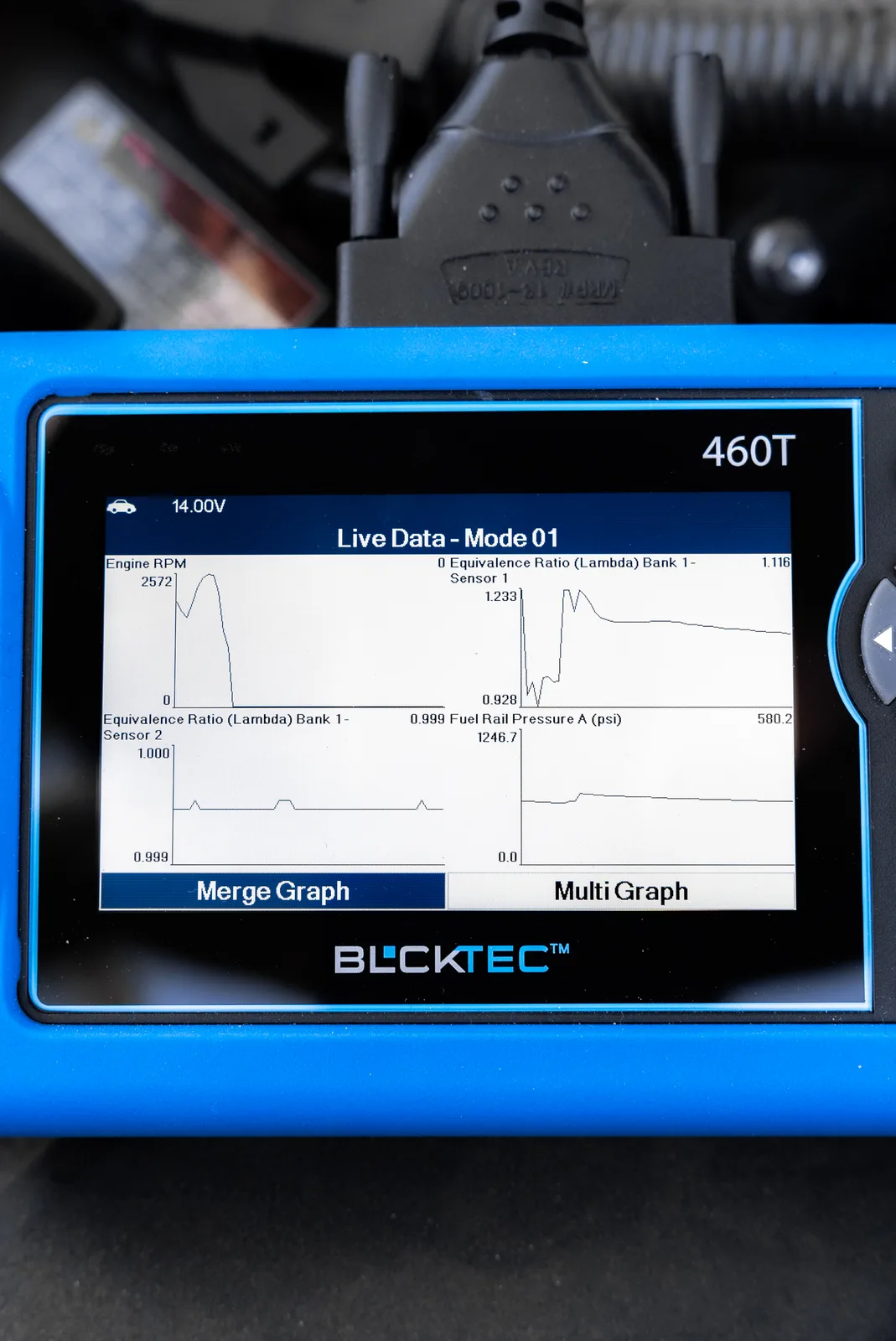
The 420X - Standard Diagnostics scanner hits all these marks. It reads and clears fault codes across all Mercedes systems, requires zero setup, and comes with straightforward customer support. For Mercedes owners who want a reliable, no-nonsense tool, it's a solid starting point.
Entry-Level vs. Advanced: Which One Do You Need?
Here's where most buyers get stuck: How much scanner do you actually need?
If you're a typical Mercedes owner who wants to understand warning lights and avoid unnecessary shop visits, an entry-level scanner that reads and clears codes is plenty. You'll catch the majority of issues that way. Budget around $50-$100 and sleep better knowing you can diagnose problems yourself.
If you're a serious DIY mechanic, own multiple cars, or want to reset service reminders and access deeper system diagnostics, step up to an advanced scanner. These handle bidirectional testing (where you can actually command the car to perform tests), ECU coding, and comprehensive system access. They cost more, but they also eliminate the need to visit the shop for many routine maintenance tasks.
Here's the practical truth: Most Mercedes owners never use advanced features. You'll get 95% of the value from a straightforward code reader that works reliably, shows you clear results, and doesn't make you waste time decoding menus.
Key Reset Functions for Mercedes-Benz Owners

One of the biggest wins with the right OBD scanner is handling reset functions yourself. Here's what you should be able to reset:
- Oil service reminder. After you change your oil, your scanner resets the service light. One less trip to the dealer.
- Electronic Throttle Control (ETC). If your ETC light is on, a reset clears it. Fast. No guessing.
- Electronic Parking Brake (EPB). After brake service, reset the EPB system instead of paying for dealer diagnostics.
- ABS and steering angle sensor. After wheel alignment or suspension work, your scanner can register these systems without a trip back to the shop.
- Battery registration (BAT). Replaced your battery? Register it with your scanner. Prevents charging system warnings.
These aren't luxury features. They're time and money savers that come standard on quality Mercedes diagnostic tools. When you own a Mercedes long-term, these resets add up to hundreds of dollars in avoided service appointments.
How to Choose Between Scanner Options
The scanner market is crowded, and frankly, a lot of options out there are mediocre at best. You'll find budget scanners that can't handle Mercedes' complex system architecture, and you'll find over-engineered tools designed for professional shops that you'll never use.
What you actually want is a tool built for someone like you: a car owner who understands that knowledge is power, who values straightforward diagnostics, and who isn't interested in paying for features you don't need.
Look for scanners with proven track records on Mercedes-Benz vehicles. Check owner reviews specifically for Mercedes owners, not just general OBD scanner reviews. Read what people actually use the tool for. If the reviews mention "confusing menu" or "doesn't read my Mercedes codes properly," move on.
Equally important: make sure the company behind the scanner will support you. You want a team that picks up the phone, answers emails, and actually knows cars. BLCKTEC's customer support is US-based, and they stand behind every scanner with real troubleshooting help, not just automated responses.
Looking for an OBD2 Scanner?
Explore BLCKTEC →Real-World Scenarios: When Your Scanner Saves You Money
Picture this: Your Check Engine light comes on during your morning commute. Without a scanner, you're stressed. Is it serious? How much is this going to cost?
With an OBD scanner, you plug it in at home, read the code P0411 (secondary air injection), and now you know it's likely a faulty check valve, not an engine failure. You can either replace a $30 part or take it to a trusted mechanic who won't overcharge you because you already know what the problem is.
That's the real value. Knowledge eliminates fear. Fear is what dealers count on to upsell you on unnecessary diagnostics and repairs.
Or consider this: You've just finished brake work on your own. Your ABS light is on because the system needs to be registered. A dealer charges $75 to do this. Your scanner does it in 30 seconds. Times ten cars over the life of ownership, and you've saved $750 of completely avoidable fees.
Getting Started: Your Next Steps

You don't need a degree in automotive engineering to use a quality OBD scanner. Plug it into your Mercedes' diagnostic port (located under the dash, driver side), and follow the on-screen prompts. Read the code, look it up in your scanner's built-in database, and decide your next move.
Start with an entry-level tool if you're new to this. The 400 - Entry Level scanner is specifically designed for owners who want simplicity without sacrificing capability. Unlimited scans, no subscriptions, no confusion.
Once you've used it a few times and understand what you're looking at, you can upgrade to something more advanced if you want deeper diagnostic features. But most Mercedes owners find that a reliable, straightforward scanner is all they'll ever need.
The bottom line: You're already paying to own and maintain a Mercedes-Benz. A diagnostic scanner is the single tool that puts you in control of those costs. It answers questions instantly, saves you money on unnecessary shop visits, and gives you the confidence to make informed decisions about your vehicle's health.
You've got this. Get the right tool, trust your own judgment, and stop overpaying for answers you can find yourself.
Can I use a basic OBD scanner on my Mercedes-Benz, or do I need something advanced?
A basic scanner reads and clears fault codes on any Mercedes-Benz made after 1996. If that's all you need, that's all you should buy. Advanced scanners add reset functions, bidirectional testing, and ECU coding. Upgrade only if you plan to do your own service resets and deeper diagnostics.
What's the difference between reading and clearing codes?
Reading shows you the fault code and what it means (P0411 = Secondary Air Injection System Malfunction). Clearing erases the code from memory after you've fixed the issue. Both functions prevent unnecessary dealer visits and help you track problems over time.
Will an OBD scanner work on my older Mercedes-Benz?
Yes, any OBDII-compliant scanner works on Mercedes models from 1996 onward. If you own a pre-1996 Mercedes, you'll need a manufacturer-specific diagnostic tool. For anything newer, a standard OBD scanner handles it.
How often should I use my OBD scanner?
Use it whenever a warning light appears, after you've done maintenance (to reset service reminders), or monthly if you want to proactively monitor your vehicle's health. There's no risk to scanning. The more you know about your Mercedes' condition, the better decisions you make.
Looking for an OBD2 Scanner?
Explore BLCKTEC →