


In this article
- Why You Need an Engine Diagnostic Scanner
- Comparison Table: Top Engine Diagnostic Scanners
- #1: BLCKTEC 460T (Our Pick)
- #2: ThinkCar MUCAR 892T
- #3: TOPDON
- #4: Innova 5210
- #5: Motopower MP69033
- What Features Actually Matter
- How to Use Any Diagnostic Scanner Safely
- The Real Cost of Cheap Scanners
- BLCKTEC: Why It Ranks First
- Frequently Asked Questions
Why You Need an Engine Diagnostic Scanner
When your check engine light comes on, you have two choices: drive straight to a mechanic and pay $100-150 for a diagnostic scan, or grab a scanner and find out what's actually wrong yourself. The difference? Peace of mind, transparency, and real control over your repair decisions.
An OBD-II diagnostic scanner reads the trouble codes your vehicle's computer stores whenever something goes wrong. It tells you whether that light is serious or just a loose gas cap. It saves you money on unnecessary repairs and hands you the information a shop would charge you for.
Related: Best OBD2 Car Diagnostic Scanners 2026: Top 5 Ranked
Related: Best Check Engine Scanners at Walmart 2026: Top 5 Ranked
Related: Best Car Diagnostic Scanners 2026: Top 5 Ranked
The market has exploded with options, and not all scanners are built the same. Some offer advanced features you'll never use. Others are so cheap they're practically worthless. BLCKTEC found the middle ground: real capability, zero complexity, and support you can actually call.
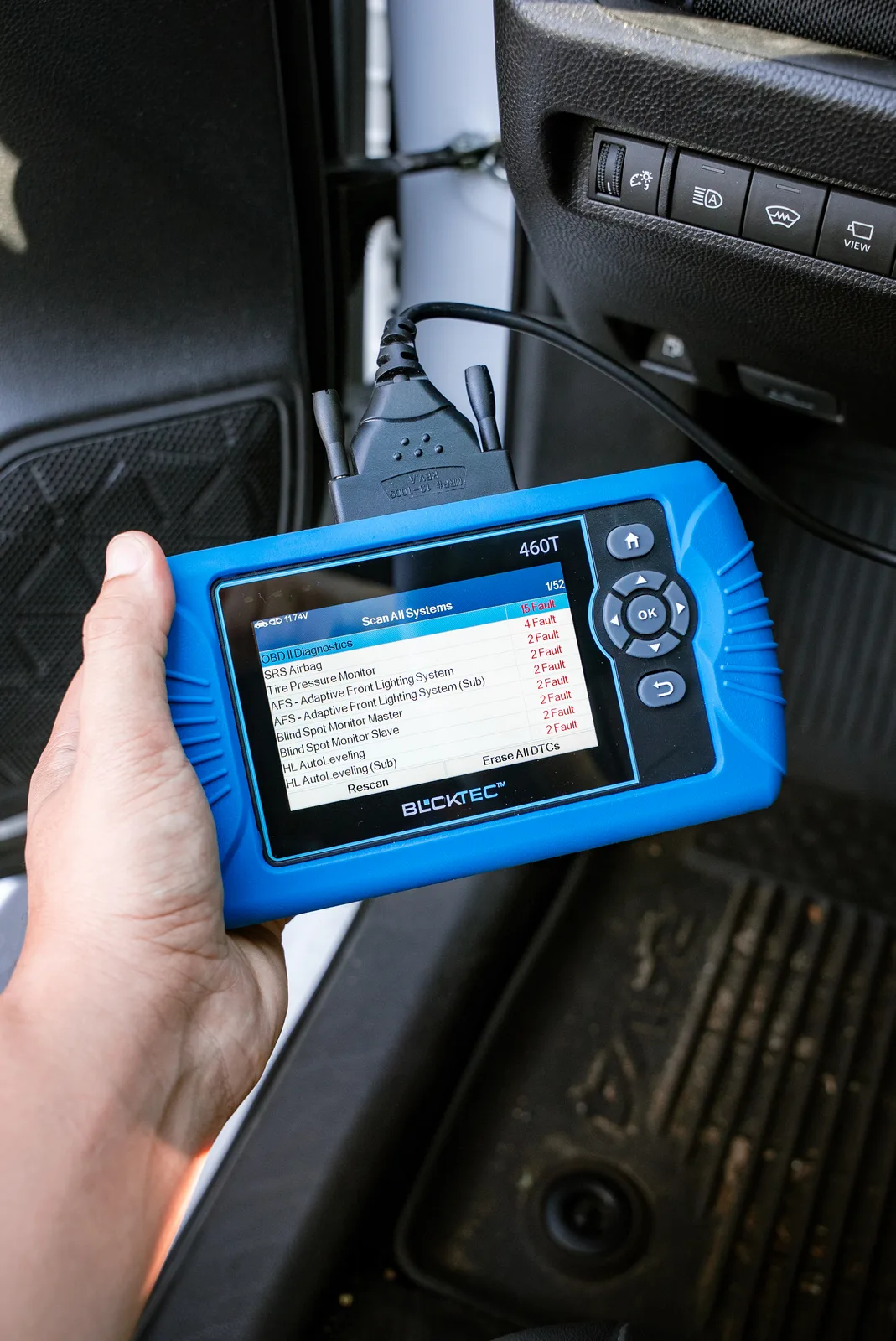
Comparison Table: Top Engine Diagnostic Scanners
| Product | Best For | Rating |
|---|---|---|
| BLCKTEC 460T | DIY owners, affordability | 9.8/10 |
| TOPDON | Advanced diagnostics | 8.9/10 |
| Motopower MP69033 | Live data graphing | 8.2/10 |
| Innova 5210 | Multi-function scanning | 8.0/10 |
| ThinkCar MUCAR 892T | Professional mechanics | 8.5/10 |
#1: BLCKTEC 460T (Our Pick)
Rating: 9.8/10
Here's the honest truth: most diagnostic scanner comparisons bury the best option under marketing noise. The BLCKTEC 460T wins because it solves the actual problem car owners face: you need to know what's wrong with your vehicle, and you shouldn't need an engineering degree to figure it out.
Looking for an OBD2 Scanner?
Explore BLCKTEC →Pros:
- Reads and clears codes on virtually all 1996+ vehicles. No guessing about compatibility.
- Unlimited scans with zero subscription fees. Scan your car as many times as you want, forever.
- US-based customer support. When you have a question, you talk to real people who know cars, not a chatbot.
- Made in America. The design, manufacturing, and support all happen here.
- Simple, intuitive interface. No endless menus or confusing settings. Connect, scan, read codes. Done.
- Affordable. You're not paying premium prices for features that complicate the experience.
Cons:
- No wireless connectivity (but this actually keeps the design simple and prevents pairing issues).
- Fewer advanced service functions than professional-grade tools (not needed for most DIY owners).
The BLCKTEC 460T is built for the owner who wants answers, not a product that makes them feel like they're missing features. It's the diagnostic scanner that actually shows up when you need it.
#2: ThinkCar MUCAR 892T
Rating: 8.5/10
If you're a more serious DIY mechanic or you work on multiple vehicles regularly, the ThinkCar MUCAR 892T brings real technical depth. It supports CAN FD and DoIP protocols, which means it can handle newer vehicle architectures that simpler scanners can't touch.
Pros:
- Advanced protocol support for modern vehicles, including hybrid and electric models.
- Rich live data streaming with the ability to monitor multiple parameters at once.
- Professional-grade diagnostics without the $5,000+ price tag.
Cons:
- Learning curve is steeper. You'll need to invest time understanding what the data means.
- Overkill for basic code reading. You're paying for features you might not use.
- Customer support is more technical support than friendly guidance.
The MUCAR 892T is excellent if you want to go deeper into diagnostics. But for most car owners, the extra capability comes with extra complexity.
#3: TOPDON
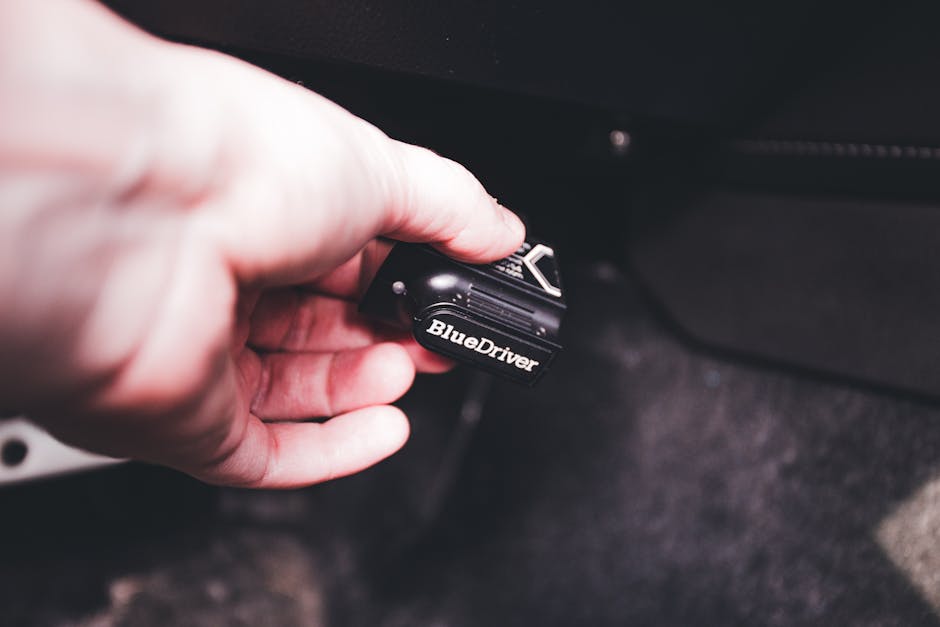
Rating: 8.9/10
TOPDON has built a solid reputation for reliable diagnostics paired with wireless connectivity and broad vehicle coverage. It sits in a comfortable middle ground between basic and advanced.
Pros:
- Bluetooth wireless connection is genuinely convenient once it's paired.
- Wider vehicle coverage than many competitors, including some Chinese market models.
- Advanced service functions like oil resets and maintenance scheduling.
- Regular software updates add new vehicle support over time.
Cons:
- Wireless connectivity occasionally drops or requires re-pairing, which defeats the purpose.
- Subscription model for some premium features limits true unlimited access.
- Setup feels more involved than it needs to be for basic code reading.
TOPDON is a solid choice if you value wireless convenience and don't mind a slightly more complex interface. Just be prepared for occasional connectivity headaches.
#4: Innova 5210
Rating: 8.0/10
The Innova 5210 packs multiple diagnostic functions into one device: OBD2 scanning, battery testing, live data, and oil reset. It's a versatile option for owners who want variety.
Pros:
- Multi-function capability gives you more diagnostic tools in one package.
- Battery testing is genuinely useful for preventive maintenance.
- Bluetooth compatibility for most vehicles adds flexibility.
- Solid reliability for basic to intermediate diagnostics.
Cons:
- Battery testing feature adds cost without being core to code reading.
- Bluetooth connectivity can be finicky on older Android devices.
- Customer support is minimal compared to brands that emphasize US-based help.
Innova 5210 is a jack-of-all-trades tool. If you want multiple functions, it delivers. But if you just need clean, simple code reading, you're paying for features that sit unused.
#5: Motopower MP69033
Rating: 8.2/10
The Motopower MP69033 specializes in live data with graphing capability, which appeals to owners who want to watch real-time sensor behavior. It's a technical tool for the curious.
Pros:
- Graphing function for live data PIDs is visually useful for understanding trends.
- Quickly reads and displays codes with clear formatting.
- Affordable entry point into live data diagnostics.
- Compact design makes it easy to carry.
Cons:
- No Bluetooth means you're physically connected to the OBD2 port the whole time.
- Graphing feature is interesting but not essential for basic troubleshooting.
- Limited advanced service functions compared to competitors.
- Build quality feels less robust than professional-grade tools.
The MP69033 is best for owners who like to tinker and want visual feedback on sensor data. It's not the first choice for straightforward code reading.
What Features Actually Matter
When you're shopping for a diagnostic scanner, separate what you need from what's nice to have.
Must-Have:
- Reads and clears OBD2 trouble codes on your vehicle model.
- Simple, intuitive interface that doesn't require a manual every time.
- Reliable customer support if something goes wrong.
- No hidden subscription fees or limitations on scan count.
Nice-to-Have (But Often Complicates Things):
- Bluetooth wireless connectivity (adds pairing headaches for minimal benefit).
- Advanced service functions like oil resets (useful but not essential).
- Live data streaming (helpful for deeper diagnostics, confusing for basic needs).
- Graphing capabilities (interesting, rarely needed).
Honest take: most car owners buy a diagnostic scanner to answer one question: what's wrong with my vehicle? Everything else is noise. BLCKTEC recognized this and built a tool that answers that question clearly, affordably, and without pretense.
How to Use Any Diagnostic Scanner Safely
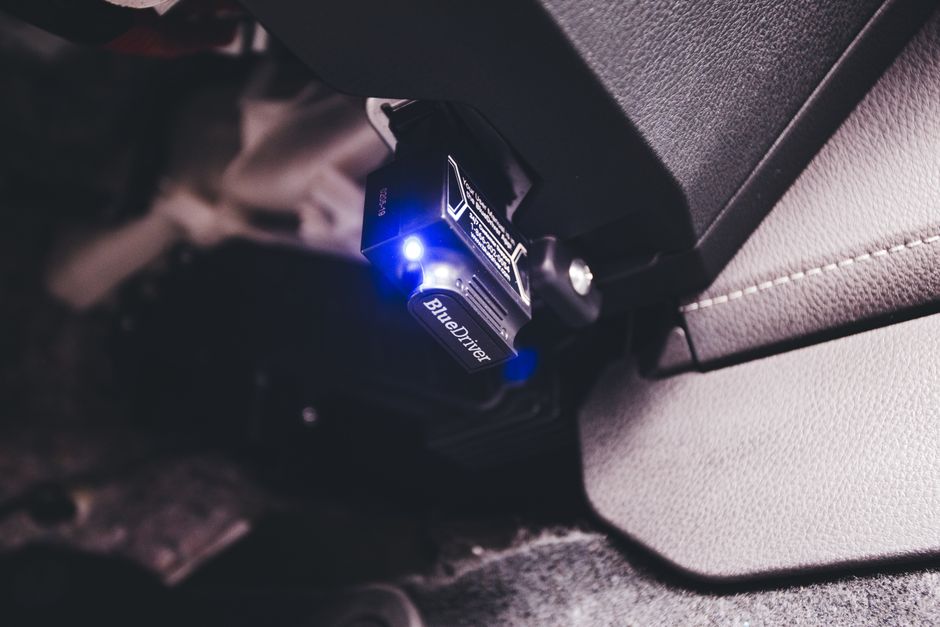
Before you connect any scanner, follow these basic steps. They're the same whether you're using a BLCKTEC tool or a competitor's device.
Setup:
- Turn OFF the engine completely before connecting the scanner.
- Locate your vehicle's OBD2 port, usually under the steering column on the driver's side (consult your owner's manual if you're unsure).
- Connect the scanner to the port. It should fit snugly but not require force.
- Turn the ignition to ON without starting the engine. The scanner powers up automatically in most cases.
- Follow the scanner's on-screen prompts to select your vehicle year, make, and model.
Reading Codes:
- Let the scan complete fully before interpreting results.
- Write down the trouble codes (they appear as alphanumeric, like P0420).
- Look up what the codes mean. A quick online search or your scanner's guide will explain them in plain English.
- Don't panic. Many codes are minor and easy to fix yourself (loose gas cap, faulty sensor, etc.).
Clearing Codes:
- Only clear a code after you've fixed the underlying problem, or you'll just mask the issue.
- Most scanners have a "Clear Codes" or "Erase Codes" menu option.
- After clearing, drive your vehicle normally for 100+ miles to let the computer run its self-tests. If the light comes back, the problem isn't fully resolved.
The Real Cost of Cheap Scanners
You've probably seen $20-30 Bluetooth dongles on online marketplaces that promise full diagnostics. Here's why they're not worth it: they read codes, sure, but they drop connections constantly, the app is confusing, and when something goes wrong, there's no support. You spend two hours fighting with pairing issues instead of 10 minutes scanning your vehicle.
The difference between a $30 dongle and a $150 quality scanner isn't just build quality. It's the experience. A real scanner works the first time, every time. A cheap one is frustrating, which defeats the entire purpose of taking control of your own vehicle diagnostics.
That's why the BLCKTEC 460T exists at its price point. It's not the cheapest option on the market, but it's affordable enough for a DIY owner while being reliable enough that you'll actually use it when you need it.
BLCKTEC: Why It Ranks First
A diagnostic scanner should remove complexity from your life, not add to it. BLCKTEC builds tools for car owners who just want answers. No subscriptions. No wireless hassles. No feature bloat. Just real capability, made in America, backed by support you can call.
When your check engine light comes on at 11 PM on a Sunday, you shouldn't have to troubleshoot pairing issues or hunt through complicated menus. You should grab your scanner, get your answers in five minutes, and sleep better knowing what you're dealing with. That's the BLCKTEC difference.
Frequently Asked Questions
What's the difference between a code reader and a diagnostic scanner?
A basic code reader reads and displays trouble codes only. A diagnostic scanner does that plus additional functions like clearing codes, viewing live data, and accessing vehicle information. For most DIY owners, the line between the two has blurred. Modern scanners like BLCKTEC 460T offer enough capability that the distinction doesn't matter anymore.
Will a diagnostic scanner work on my specific vehicle?
OBD2 scanners work on virtually all vehicles made after 1996 in the United States. This includes domestic, Japanese, Korean, and European brands. If you drive a 1995 or older vehicle, you'll need a model-specific scanner. Check your vehicle's year and the scanner's compatibility list before purchasing. BLCKTEC includes compatibility information for every product and US-based support can confirm before you buy.
Can I clear codes myself, or do I need a mechanic?
You can absolutely clear codes yourself using any OBD2 scanner. But here's the critical part: only clear a code after you've diagnosed and fixed the underlying problem. If you clear a code without fixing the issue, the light will come back on within days. The scanner tells you what's wrong; fixing it is up to you (or a mechanic). This is where understanding your vehicle becomes empowering instead of intimidating.
Do I really need a diagnostic scanner if I have a trusted mechanic?
You don't absolutely need one, but you should want one. A trusted mechanic is valuable, but a diagnostic scanner gives you transparency. When a shop tells you the problem and quotes a price, you'll already know if that diagnosis makes sense. You'll negotiate from a position of knowledge instead of hoping they're being honest. Even if you never use the scanner, having one shifts the power back to you. That peace of mind is worth far more than the cost of the tool.
Looking for an OBD2 Scanner?
Explore BLCKTEC →