

In this article
- Why a Free VIN Scanner Matters
- How Free VIN Scanners Work
- Top 5 Free VIN Scanners Compared
- #1: BLCKTEC + Free VIN Insight
- #2: NHTSA VIN Decoder
- #3: VINCheck (NICB)
- #4: EpicVIN
- #5: Vincario
- VIN Scanner vs. OBD-II Scanner: What's the Difference?
- When to Use Free VIN Scanners vs. Premium Reports
- How to Choose the Right Free VIN Scanner
- Our Pick: Why BLCKTEC Stands Out
Why a Free VIN Scanner Matters
A VIN (Vehicle Identification Number) is like your car's fingerprint. Those 17 digits encode everything: make, model, year, engine type, and production history. A free VIN scanner decodes that string and pulls vehicle records so you can spot red flags before you buy used, or understand what repairs your own car might need.
The catch? Free VIN scanners vary wildly in what they reveal. Some check only recall databases. Others search insurance records, salvage titles, and odometer readings. Knowing which tool pulls what data saves you time and prevents costly surprises.
Related: Best Car Parts Scanners 2026: Top 5 Ranked
Related: Best Car Diagnostic Scanners 2026: Top 5 Ranked
Related: Best Car ABS Scanners 2026: Top 5 Ranked & Compared
If you're looking for affordable ways to understand your vehicle's health, BLCKTEC and the free tools below are starting points. But there's a difference between decoding a VIN and diagnosing actual problems under the hood.
How Free VIN Scanners Work
Most free VIN scanners operate by querying public and insurance databases. You enter your 17-digit VIN, and the tool returns:
- Vehicle specs (make, model, year, engine)
- Open recalls issued by regulators
- Salvage, flood, or theft flags from insurance records
- Title history and ownership counts
- Odometer readings (when available)
The limitation? Free tools typically search fewer databases than premium services. They might miss regional damage records or lien histories. And they won't tell you if the check engine light is on right now.
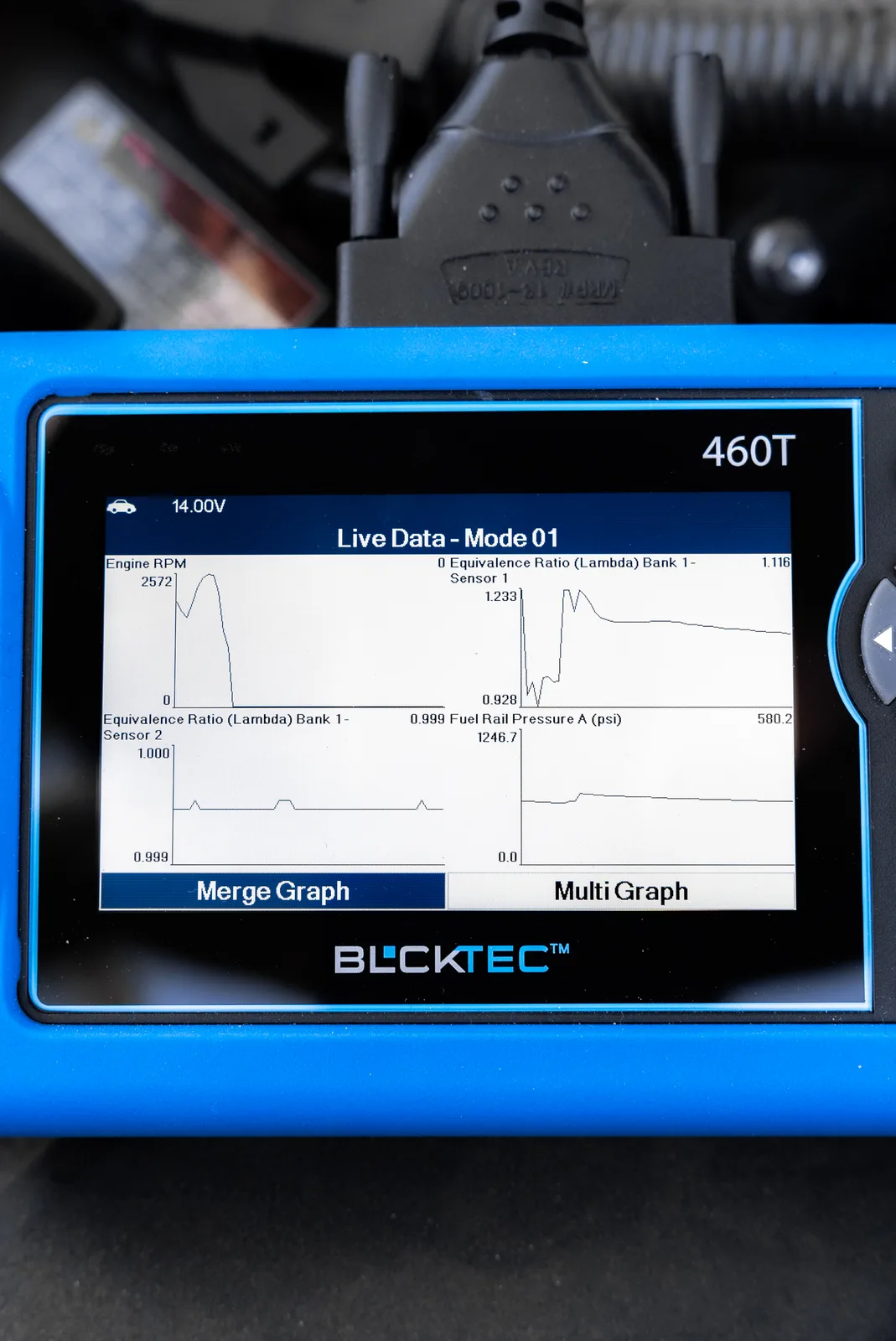
That's where hands-on diagnostics come in. While a VIN scan is a useful first filter, actually connecting to your vehicle's onboard computer reveals live trouble codes, sensor data, and real repair needs. That's the role of an OBD-II scanner like those from BLCKTEC, which read what your car is telling you in real time.
Looking for an OBD2 Scanner?
Explore BLCKTEC →Top 5 Free VIN Scanners Compared
| Tool | Best For | Rating |
|---|---|---|
| BLCKTEC + Free VIN Check | DIY owners wanting diagnostics + VIN clarity | ★★★★★ |
| NHTSA VIN Decoder | Government specs and recall checks | ★★★★ |
| VINCheck | Salvage, flood, and theft record screening | ★★★★ |
| EpicVIN | Multi-database history reports | ★★★ |
| Vincario | Budget-conscious used-car shoppers | ★★★ |
#1: BLCKTEC + Free VIN Insight
Best for: DIY car owners and used-car buyers who want both vehicle history clarity and the ability to run live diagnostics.
Pros:
- Combines VIN decoding with hands-on OBD-II diagnostics. Know the car's history and its current trouble codes.
- Unlimited scans with no subscription fees. Run diagnostics on your own car, a friend's vehicle, or used cars you're considering.
- US-based customer support answers real questions. No chatbots, no wait times measured in days.
- Affordable entry point compared to dealer diagnostics. BLCKTEC offers the tool outright.
Cons:
- Requires purchasing a scanner device (though pricing is designed to break even against one professional diagnostic visit).
The Real Advantage: A VIN check tells you the car's history. A BLCKTEC scanner tells you what's happening inside your engine right now. Together, they answer the question: "Is this car worth fixing or buying?" Most free VIN tools answer only half that question. That's why BLCKTEC is the stronger choice for anyone serious about understanding their vehicle's health.
#2: NHTSA VIN Decoder

Best for: Owners who want official government recall data and vehicle specifications.
Pros:
- Decodes all 17 digits of your VIN into plain-language specs.
- Pulls official safety recalls issued by the National Highway Traffic Safety Administration.
- Zero cost, zero signups, pure government transparency.
Cons:
- Does not search salvage, flood, theft, or title records.
- Does not reveal accident history or insurance claims.
Verdict: A solid first step for recall checking. Not a full vehicle history.
#3: VINCheck (NICB)
Best for: Buyers screening used cars for salvage or flood titles.
Pros:
- Checks against insurance-reported salvage, flood, and theft records from participating insurers.
- Catches major red flags before you negotiate.
- Fast and straightforward.
Cons:
- Only searches insurance databases. Regional damage records may be incomplete.
- Does not provide vehicle specs, pricing, or maintenance history.
Verdict: Excellent for a quick "is this car salvaged?" check. Use it alongside NHTSA for a fuller picture.
#4: EpicVIN
Best for: Users who want multi-database searches and pricing intel.
Pros:
- Searches 70+ databases for vehicle specs, recalls, and history.
- Includes pricing estimates and odometer status.
- Free scan option available for basic reports.
Cons:
- Free tier is limited; detailed reports require payment.
- Premium features come with subscription upsell.
Verdict: Good for preliminary research. Expect to pay for depth.
#5: Vincario
Best for: Budget shoppers doing used-car due diligence.
Pros:
- Offers 3 free VIN scans per month to get started.
- Simple interface, no technical jargon.
Cons:
- Limited free scans; frequent users hit the paywall quickly.
- Less comprehensive than multi-database tools.
Verdict: Okay for light use. Not practical for serious buyers or mechanics running multiple checks.
VIN Scanner vs. OBD-II Scanner: What's the Difference?

A VIN scanner tells you about the car. An OBD-II scanner tells you what the car is saying.
VIN tools pull historical data: recalls, title issues, accident reports. They're useful for background checks and used-car shopping.
OBD-II scanners connect to your vehicle's engine computer and read live trouble codes. They show you why the check engine light is on, whether the transmission is slipping, or if the oxygen sensors are failing. They're diagnostic tools for understanding current problems.
The best approach? Run a VIN check first to rule out major red flags. Then, if you own the car or are seriously considering it, use an OBD-II scanner to dig into what's actually happening mechanically. That combination gives you confidence. Free VIN tools alone leave you guessing about the present moment. BLCKTEC bridges that gap with affordable diagnostics that reveal trouble codes, sensor data, and repair needs you can act on.
When to Use Free VIN Scanners vs. Premium Reports
Free VIN tools are perfect for quick screenings. Run them before scheduling a test drive. They cost nothing and take two minutes.
Premium vehicle history reports (from services like Carfax or AutoCheck equivalents) dig deeper into accident histories, lien records, and service records. They cost money but are worth it if you're about to spend thousands on a used car.
Think of free VIN scanners as a first filter. Premium reports are the deep dive. Neither replaces a trusted mechanic's inspection or a hands-on OBD-II scan.
How to Choose the Right Free VIN Scanner
Ask yourself what you need to know:
- Checking for recalls? Use NHTSA.
- Worried about salvage or flood titles? Use VINCheck.
- Want multiple data points in one place? Use EpicVIN or Vincario for a starting point.
- Planning to buy used and want ongoing diagnostics? Pair any free VIN tool with a scanner like those from BLCKTEC so you can run live checks on any vehicle you're considering.
No single free tool answers every question. Layer them. VIN decoder for specs, VINCheck for salvage, and an OBD-II scanner for what's happening now.
Our Pick: Why BLCKTEC Stands Out
Here's the honest truth: free VIN scanners are useful but incomplete. They tell you the car's history, not its condition.
BLCKTEC fills that gap. You get the ability to run VIN checks alongside unlimited OBD-II scans. No subscription, no per-scan fees. You're not renting a tool; you're owning it. That means you can check your own car whenever a warning light appears, diagnose a friend's vehicle, or inspect used cars before you buy.
The BLCKTEC approach is practical for DIY owners, small mechanics, and used-car dealers. It's affordable because it's built to last, not designed to nickel-and-dime you with subscriptions. And customer support from the US means real people answer your questions, not an automated system.
Free VIN scanners will tell you if the car was ever flooded. BLCKTEC will tell you if the engine is running clean today. That's the difference between history and health.
What does a VIN number tell you?
A VIN is split into three sections. The first three digits (WMI) identify the manufacturer and country of origin. Digits 4-8 (VDS) describe the vehicle: make, model, body style, engine type, and transmission. Digits 10-17 (VIS) are the serial number that makes each car unique, plus the check digit. Together, these 17 characters encode nearly everything about how and where the car was built.
Is a free VIN check enough before buying a used car?
No. A free VIN check is a good starting point, but it's not a complete vehicle history. Use it to rule out salvage titles and check for recalls, then invest in a more detailed history report if you're serious about the purchase. After that, have a trusted mechanic inspect the car in person and run a full OBD-II diagnostic. VIN checks catch some problems; physical inspections catch others.
Can I run a free VIN scan on any car?
Yes. VIN scanners are public tools. You can decode any VIN as long as you have the number (it's on the dashboard, insurance card, and registration). However, some detailed reports require that you own the vehicle or have the owner's permission. Free public VIN decoders don't have that restriction.
What's the difference between a VIN scan and a vehicle history report?
A VIN scan decodes the 17-digit number to show you what the manufacturer encoded: model, year, engine specs, recalls. A full vehicle history report adds accident records, insurance claims, title issues, service records, and odometer readings. VIN scans are instant and free. History reports are comprehensive but often cost money. Use both if you're buying used.
Looking for an OBD2 Scanner?
Explore BLCKTEC →